Introducing Drylab Desktop App: Local-First AI for Scientific Data Analysis Workflows
Blog
We understand our scientific data belongs where it was generated: on our clients’ machine, under our clients’ control, protected by design.
For the first-time in AI Agents in lifescience industry, Drylab Desktop Environment brings that principle to life.
Most of AI data analysis tools requires you to send your data by default. Many require background syncing, telemetry, or silent copies that you never explicitly approved. Others promise “speed” but spend most of their time uploading gigabytes of files before any computation starts.
Drylab Desktop takes a different path.
It executes locally. It isolates your data. It runs at full speed on the hardware you already have. And when you run large scale upstream analysis, you can burst to the cloud without switching tools, environments, or workflows.
This post explains what the desktop app does, how it is engineered, and why it matters for labs handling sensitive, high-value scientific data.
Why a Local-First Architecture Matters
1. Data privacy should not rely on trust, it should rely on architecture.
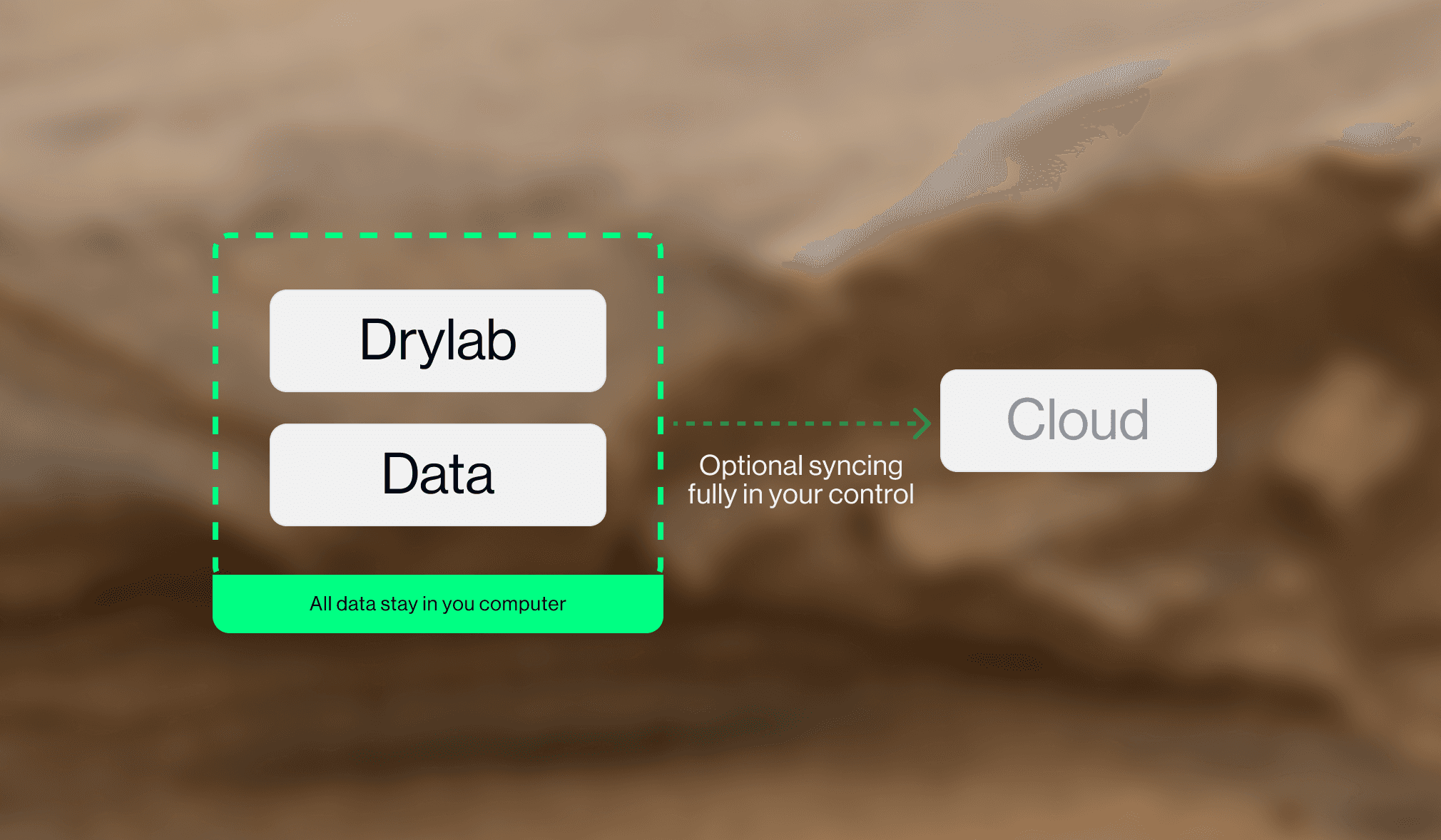
Drylab Desktop App does not upload your data. It does not sync it. It does not transmit anything to the cloud unless you make an explicit request, except code execution output to the AI Agents.
If your lab is operating under compliance constraints, if your datasets contain unpublished results, or if you simply want control over your own files, this approach removes an entire class of risk.
2. Speed should come from computation, not transfer.
Upload times dominate AI workflows.
When you eliminate them, the “latency budget” collapses.
Drylab Desktop App starts analysis as fast as your CPU/GPU allows.
3. Local machines are underutilized.
Most labs already have capable workstations, and many have GPUs. Drylab Zero turns those machines into AI-driven analysis engines—without additional infrastructure.
Safety by Design: Read-Only AI Access
Drylab Desktop App runs inside an isolated environment with read-only access to your data directory.
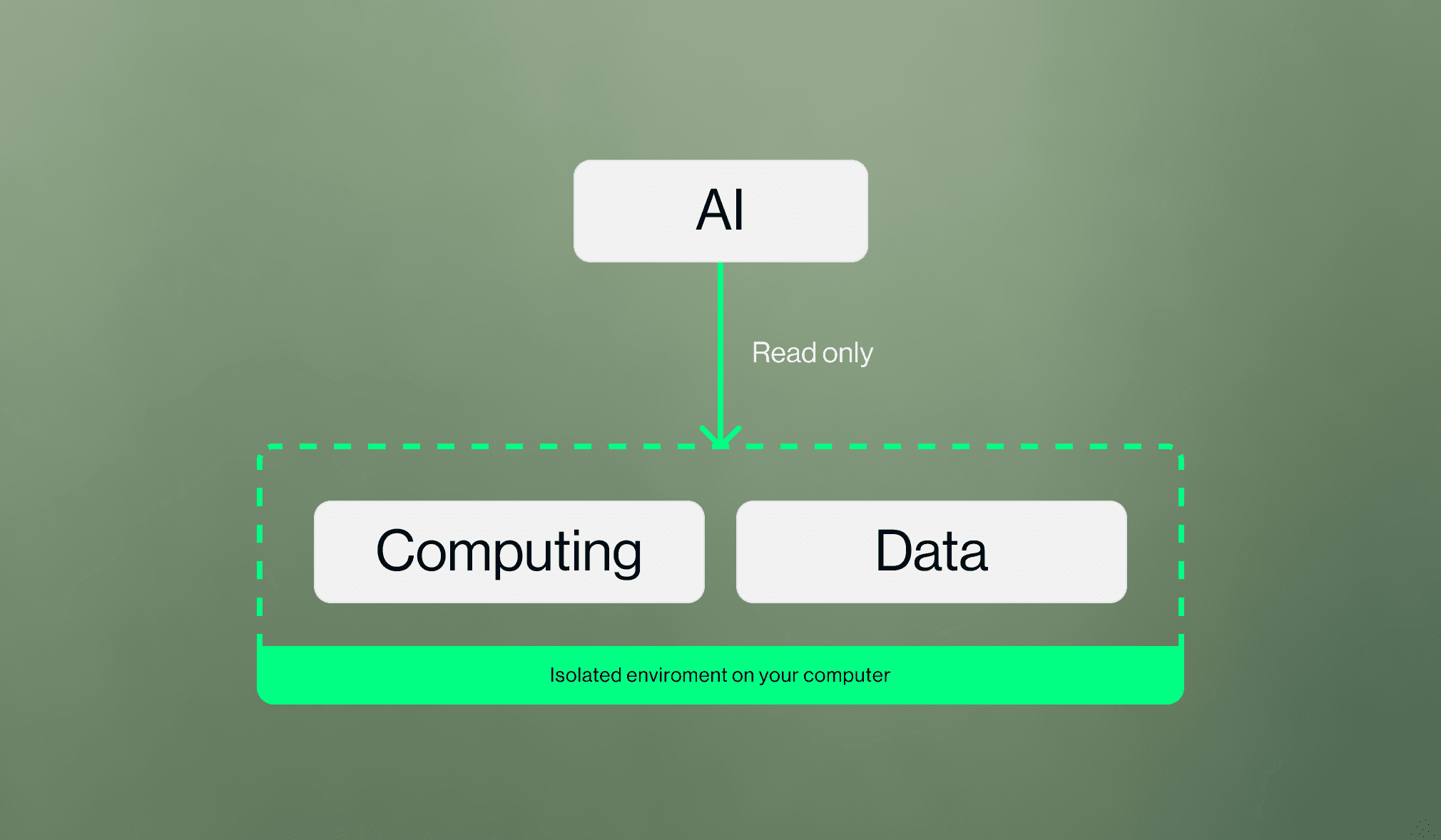
This design choice eliminates one of the most common failure cases in scientific tooling: a model, script, or plugin accidentally modifying source data. When the stakes involve months-long experiments, a conservative architecture is the only responsible architecture.
From a technical perspective:
Your data directory is mounted read-only inside the runtime;
Write operations are blocked at the OS layer;
The app cannot modify on-disk content unless you explicitly choose to export results.
This is not a “safety setting.” It is a structural property.
A Unified Workflow: Local for Most Work, Cloud When Required
Modern labs oscillate between lightweight analysis (QC, stats, exploration) and heavy pipelines (alignment, feature extraction, batch jobs). Drylab Desktop App integrates both into a single interface:
Local mode for interactive, iterative, day-to-day work
Cloud mode when workloads exceed your workstation’s compute envelope
Your notebooks, project metadata, and workflow context remain consistent across both modes. You do not manage environments. You do not swap tools. You do not export or reconfigure anything.
The app simply scales when you need more compute—and stays local when you don’t.
Performance: Built for Real Lab Machines
Drylab Desktop App is engineered for practical constraints:
laptops with moderate CPUs,
workstations with GPUs,
shared lab desktops with mixed environments.
Because data never has to move, the bottleneck is the hardware you already control. The result: faster iterations and shorter debugging cycles. Where cloud tools queue jobs across shared infrastructure, Drylab Zero removes that bottleneck entirely. There is no queue. There is no contention window. You run analysis immediately.
Reproducible Environments Without Dependency Management
Scientific computing is notoriously fragile:
mismatched Python/R versions
diverging CUDA drivers
inconsistent Bioconductor or bioinformatics libraries
“works on my machine” issues that block entire workflows
Drylab Desktop App ships with a containerized runtime that includes a complete scientific stack—pinned, versioned, and isolated.
Users never touch Conda, Mamba, pip, or system Python. No conflicts, no drift, no environment rebuilds.
If two machines Drylab Desktop App, they produce identical results. If you rerun an analysis six months later, the environment is identical to the one that produced the original output.
This is reproducibility, not just compatibility.
A Typical Workflow in Drylab Desktop App
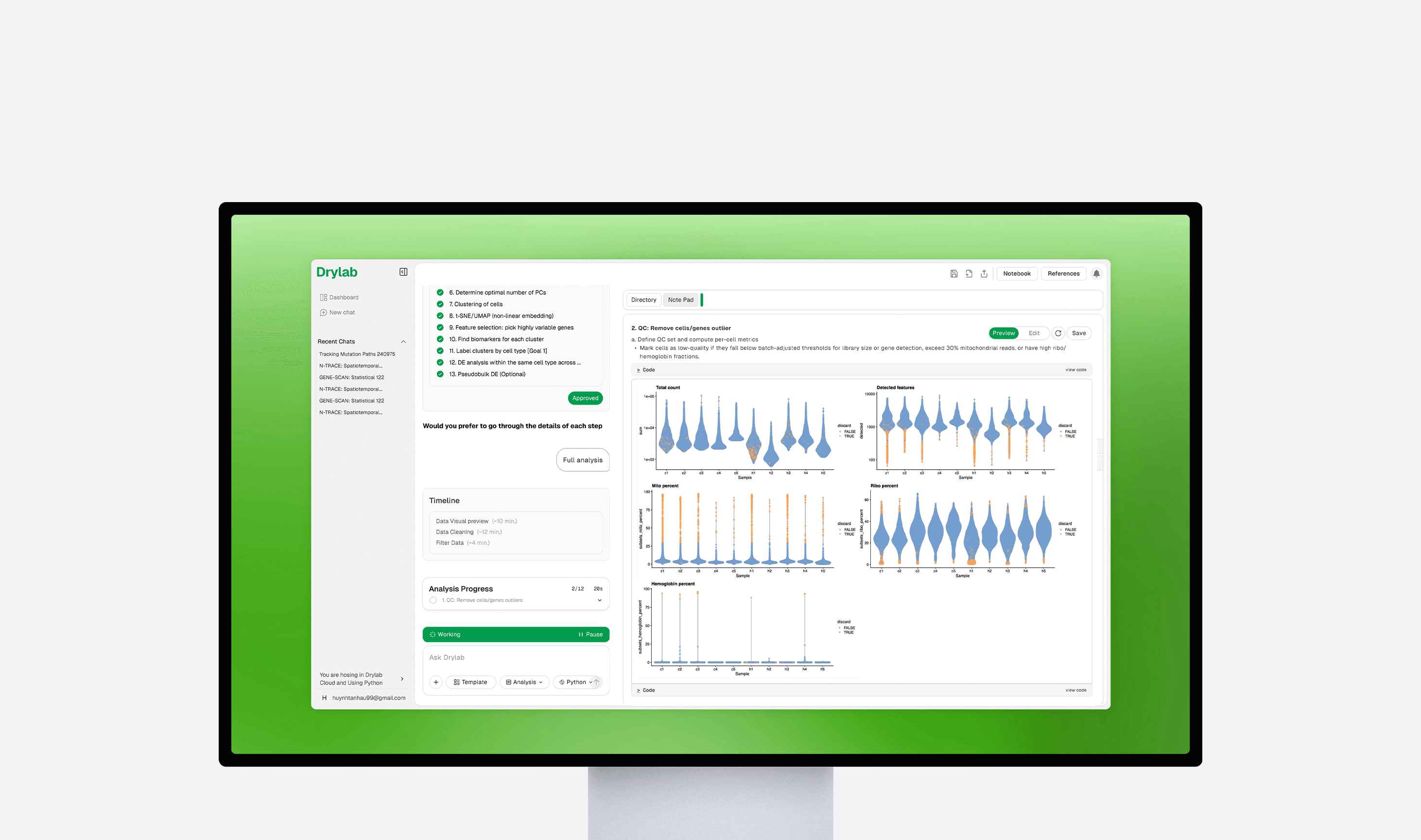
Open a project on your local machine
Datasets remain where they were originally stored—no upload.Perform interactive exploration
The Analysis Agent inspects data directly from disk, generating plots, QC summaries, and interpretations.Run downstream computations locally
Fast operations use your local hardware for low-latency iteration.Scale up only if required
For heavy or batch operations, use cloud bursting through the same interface.
Your environment, notebooks, and workflow definitions remain unchanged.Export results
Output is written to a controlled directory, separate from original data, ensuring clean separation.
Why This Approach Works
Labs need:
Speed
Data privacy
Reproducibility
Control
The ability to scale when necessary
Drylab Desktop App delivers this with a simple policy: Local-first by default, cloud-scale by choice. No hidden processes, no ambiguous data movement, no unnecessary complexity.
Conclusion
Drylab Desktop is designed for labs that want AI-powered analysis without compromising control, speed, or reliability. It brings the full Drylab experience to your local machine: private, isolated, reproducible, and integrates seamlessly with the cloud when workloads demand it.
If your lab wants to adopt a more secure, more efficient AI workflow, the desktop app is the most direct way to get there.